01 / PAYCHECKS & SPENDING
Wondering where your paycheck went?
Give bills, spending and savings a place in your plan before payday money disappears. See what remains as you track each paycheck.
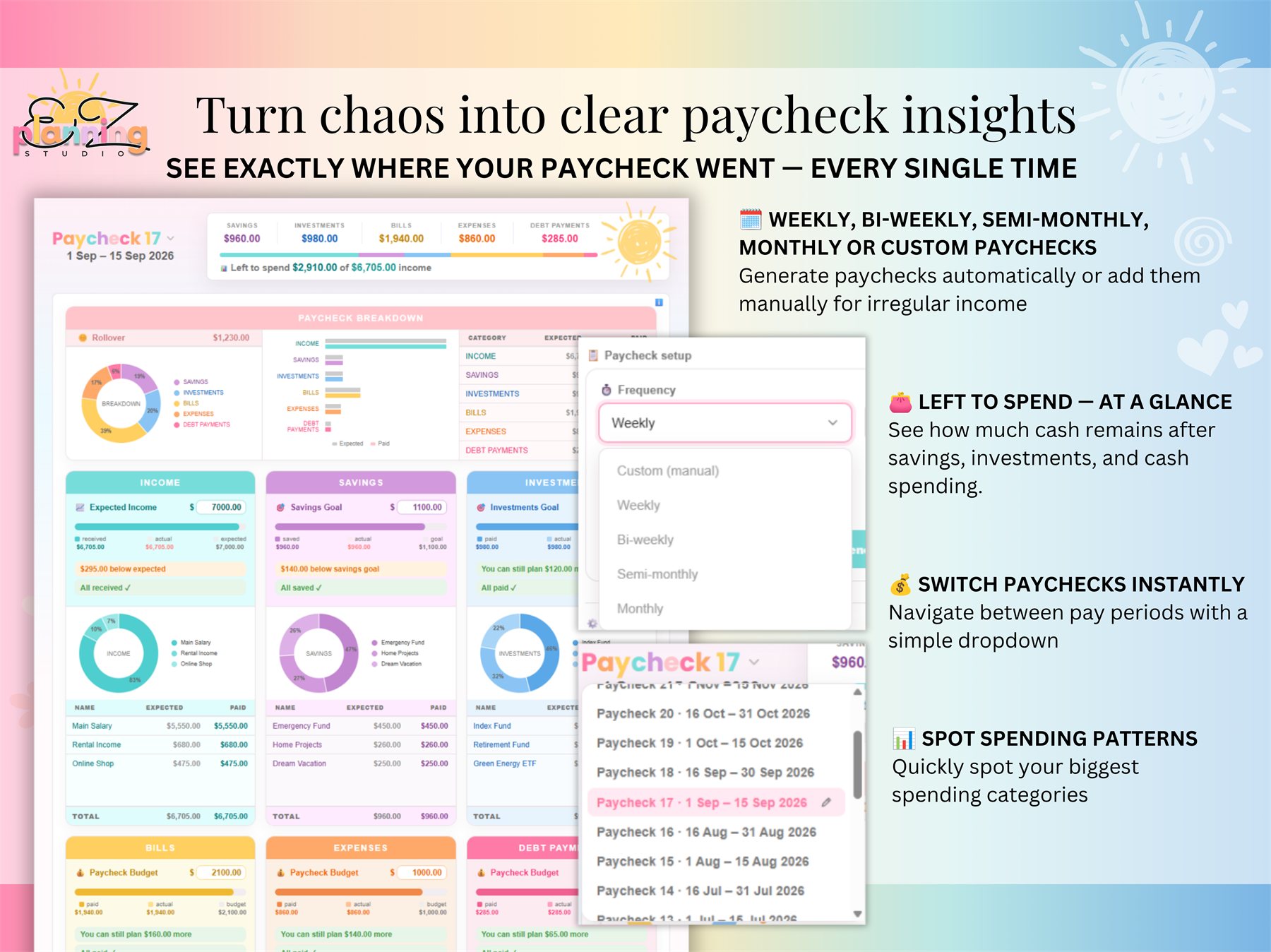 Explore paycheck budgeting ↗

A little more clarity. A lot less overwhelm.
Your money, beautifully organized.
Know what's left before you spend. Plan bills, everyday spending and savings around your paydays, then see your progress in one visual budget. Try the free demo before you buy.
4.8 · Verified shop reviews on Etsy
One-time purchase · No subscription
Real reviews, real experiences
From verified reviews on our Etsy shop.
“Didn't need shipping since this was a digital product — but as the second item I've purchased from this seller, I have to say the apps are so nice! Clean, cheerful colors and the monthly insights really help me see exactly where all of my money is going. Highly recommend!”
“So easy to use and just what I needed to keep my reoccurring transaction from sneaking up on my budget!”
“Amazing product! This gets your organized all in one place!”
“Great app to use, lots of variety to track spending/debt.”
“Great form, works as advertised.”
Less guessing. A clearer plan.
See what needs paying, what you can spend
and how your goals are progressing.
01 / PAYCHECKS & SPENDING
Give bills, spending and savings a place in your plan before payday money disappears. See what remains as you track each paycheck.
Explore paycheck budgeting ↗02 / SAVINGS & DEBT
See how close you are to each savings goal and track what you still owe. Keep the next step in view, even when progress feels small.
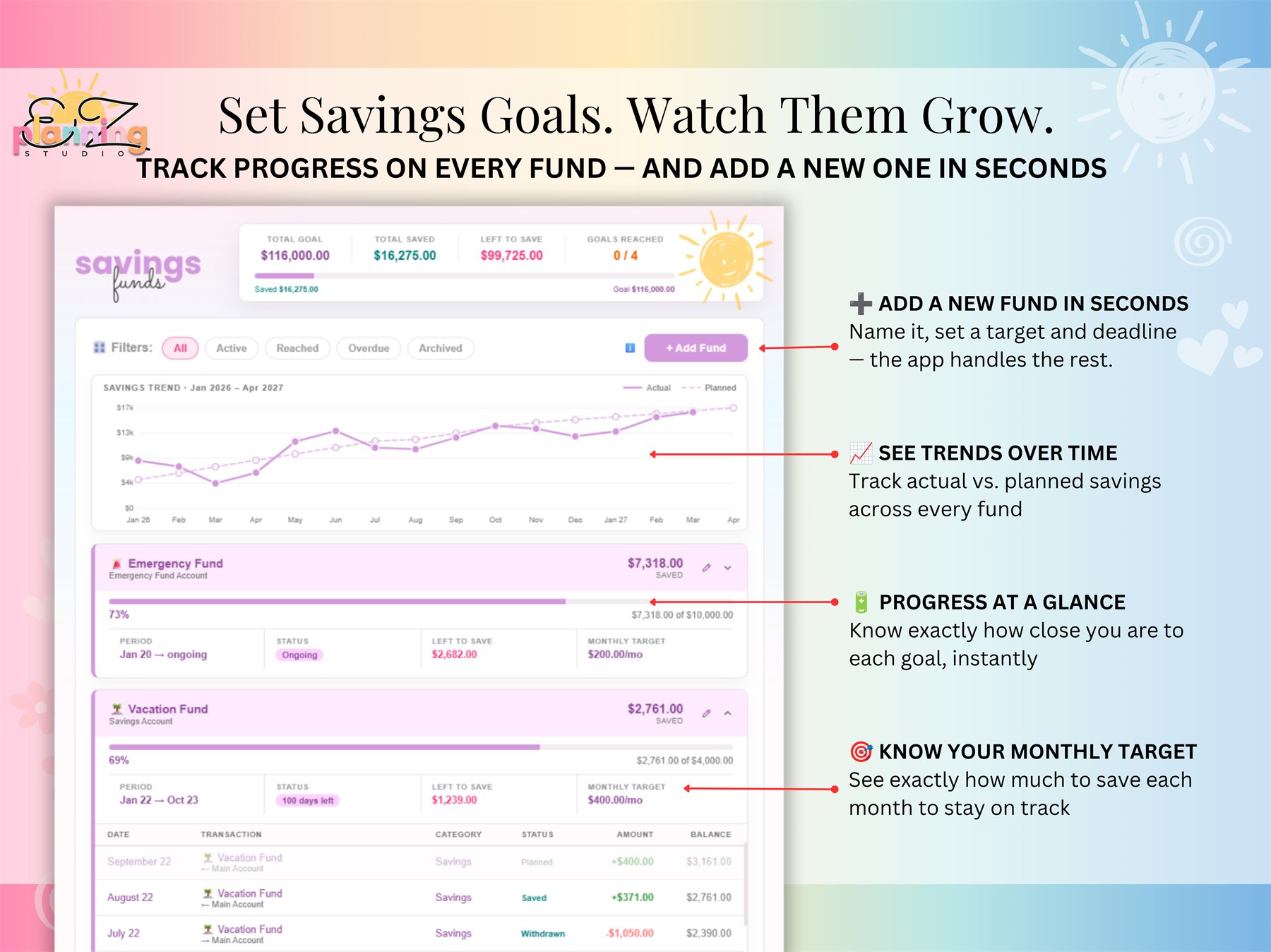 Take a look at savings ↗
03 / YOUR BIGGER PICTURE
Bring accounts, savings, debt and investments together. See what you own, what you owe and how your net worth changes.
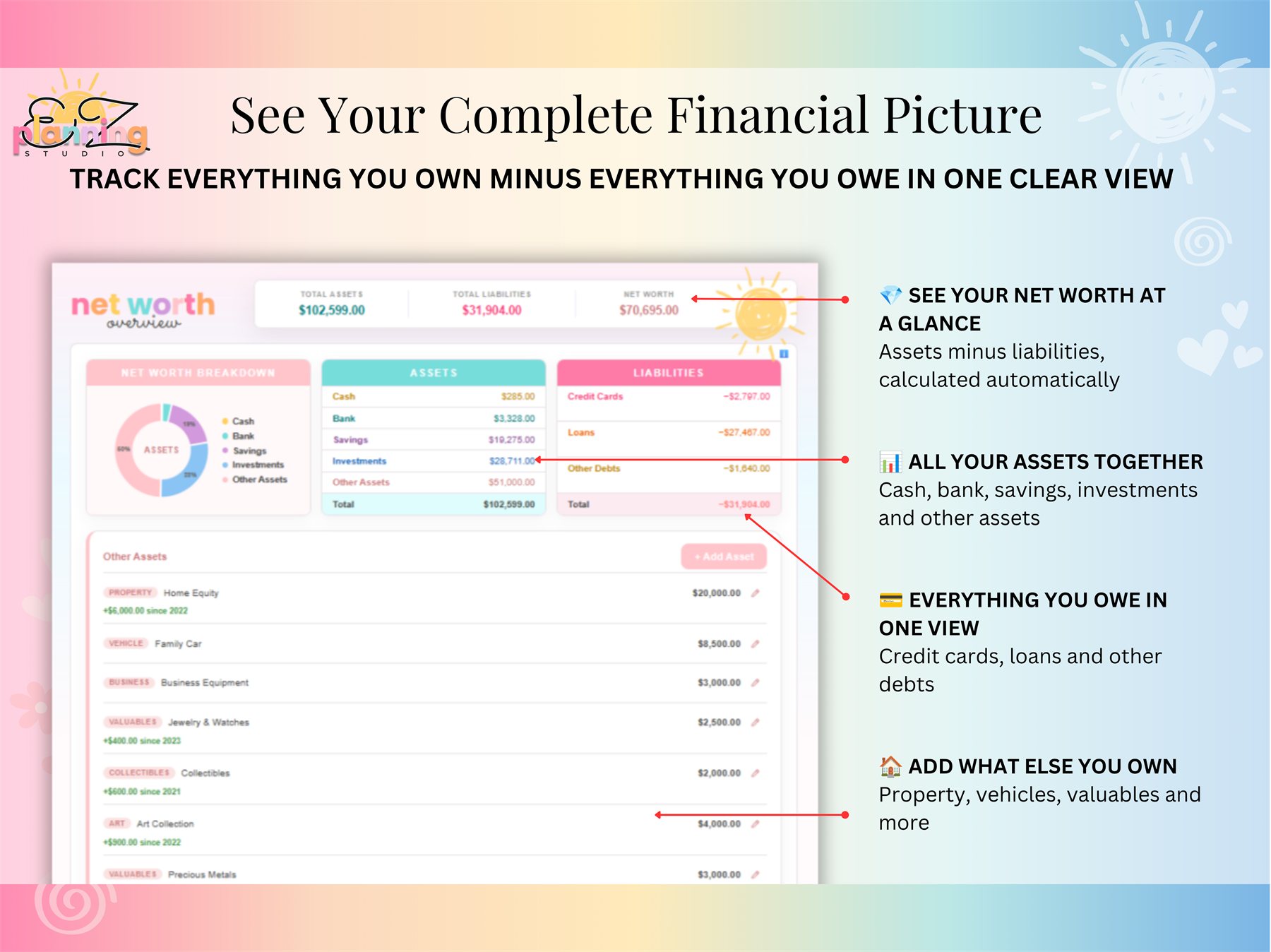 See the bigger picture ↗
A little test-drive, zero commitment
See how a paycheck becomes a plan. Explore the sample budget and decide if this way of managing money works for you.
No purchase or sign-up required to try the demo.
Windows: Chrome or Edge. Android: Chrome. Mac, iPhone & iPad: Safari — tap "Add to Home Screen" for the best experience.
Check the bills, savings and spending breakdown, then see what's left.
Get the full version with a one-time purchase.
A little something to get you started
Get a welcome discount for your first order, plus budgeting tips, new releases and subscriber-only offers by email.
Thanks! Check your email for your welcome discount code.
Something went wrong — please double-check your email and try again.
For new email subscribers. Discount applies to your first order.
Made for your everyday
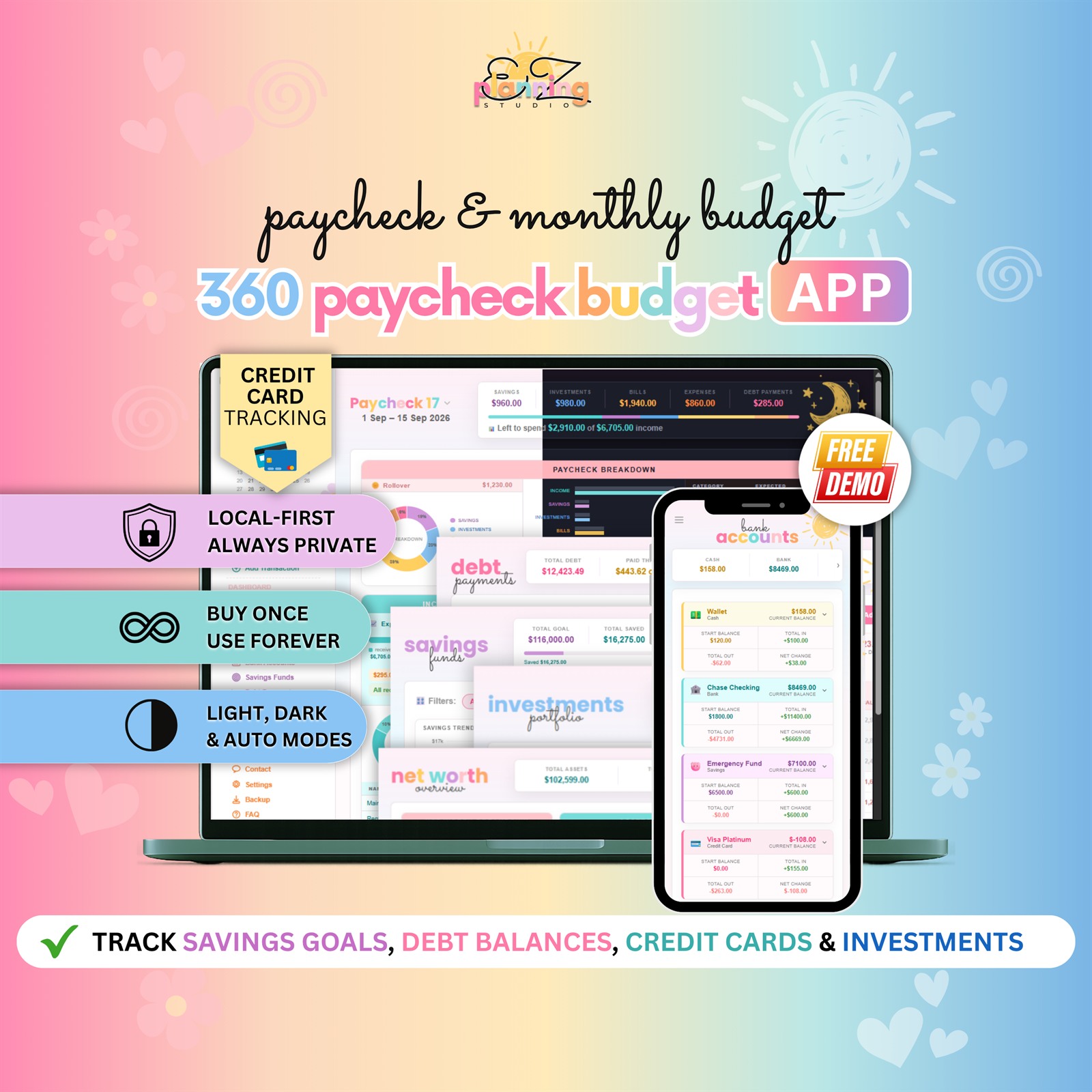
A browser-based app for desktop, tablet and phone.
Choose light, dark or automatic themes.
Local-first storage on your device. Keep regular backups of your budget.
A money routine without another monthly bill.
Try it before you decide
Try Free Demo or Buy Now — up top, always one scroll away.
Good to know
Option A — download & use locally
Option B — install as an app
You're in!
Click below and it's already applied at checkout — no code to remember.
Go to CheckoutWe've also emailed you the code. Valid for direct purchase only, not on Etsy.
Subscribe & save
Enter your email and your discount code is ready right away.
Something went wrong — please double-check your email and try again.