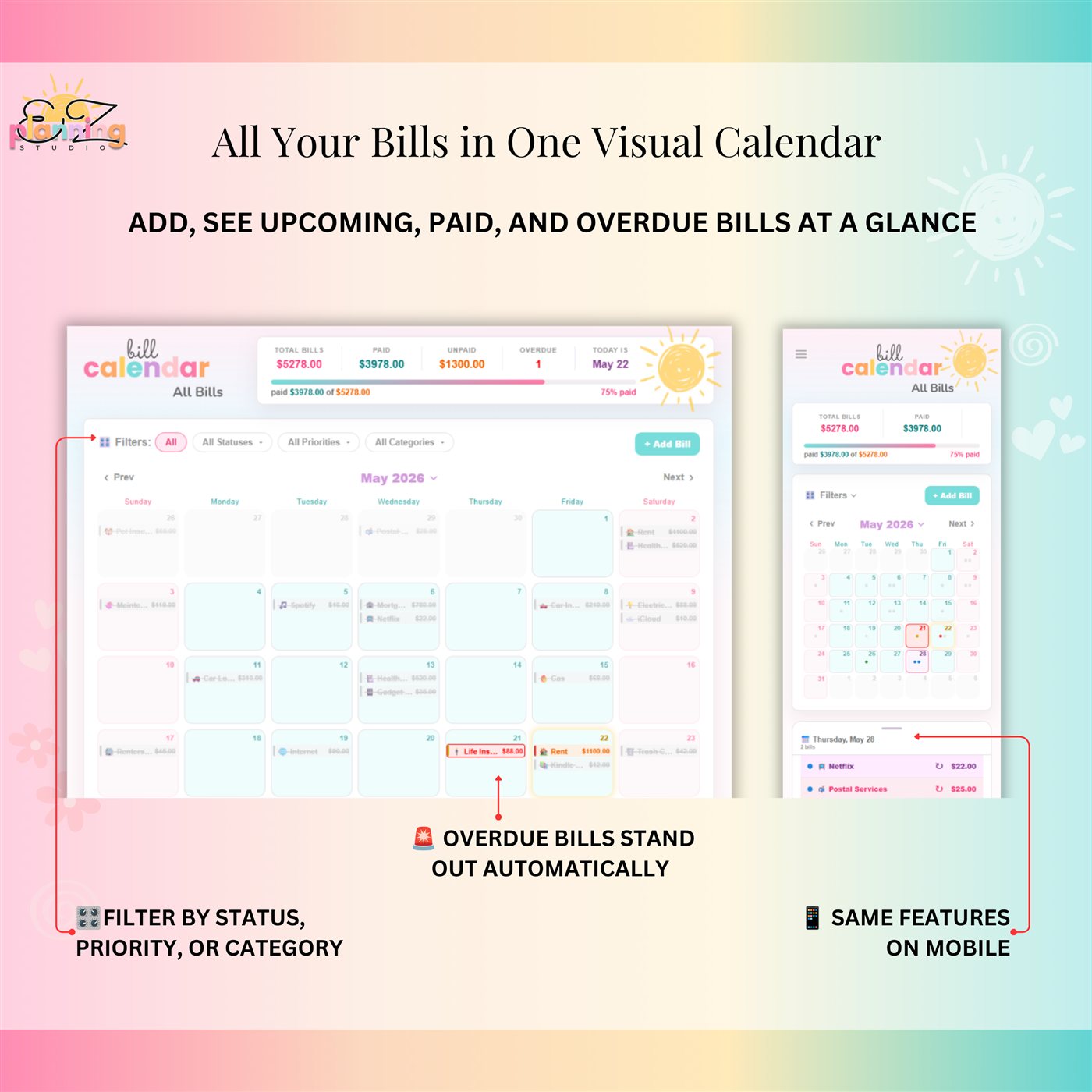
01 / THE CALENDAR
Nothing sneaks up on you.
See every bill on a clear monthly calendar, with overdue ones highlighted automatically — no more surprise due dates.
 Explore the calendar ↗

Color-coded & ADHD-friendly bill tracking
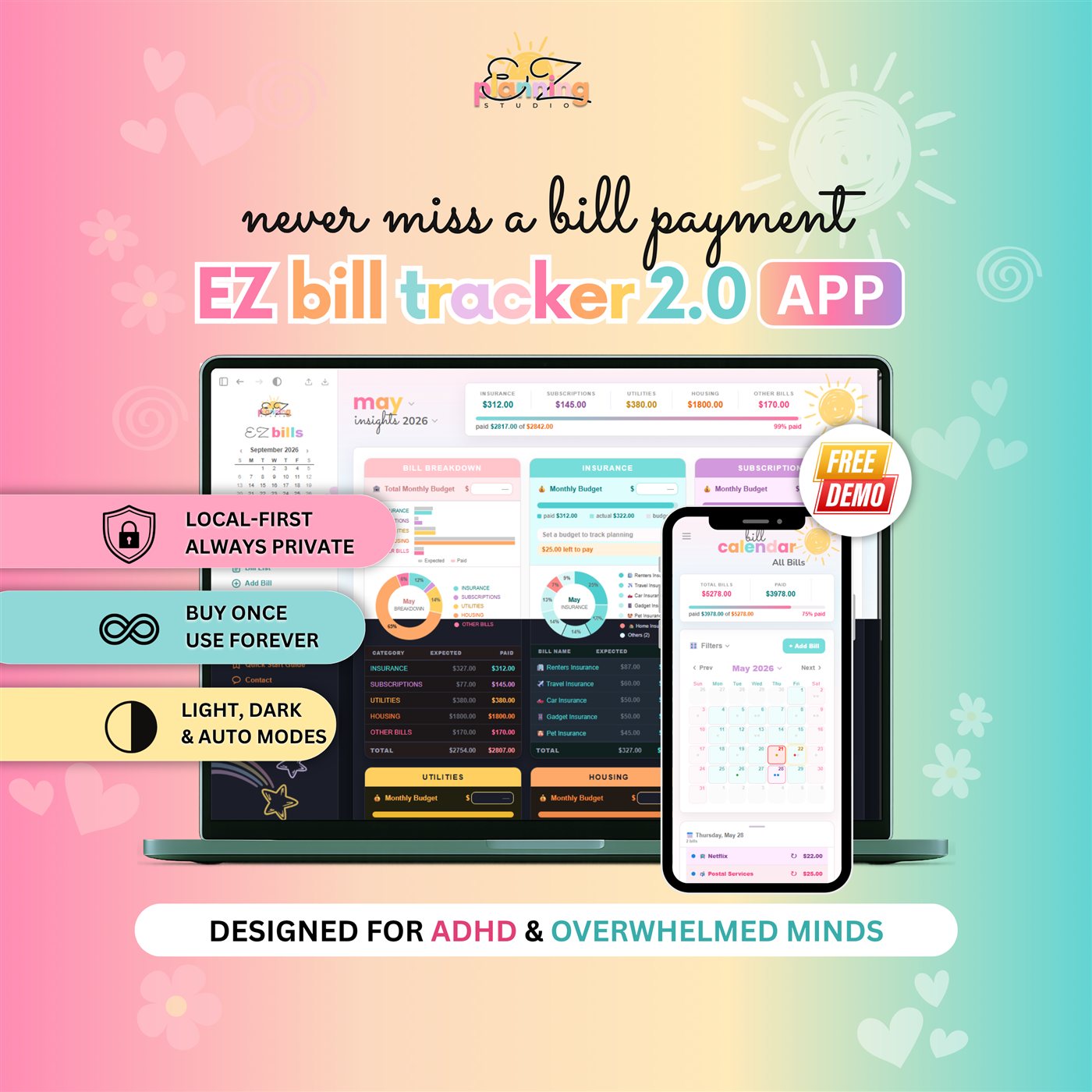
Never miss a bill payment.
See every bill and subscription in one visual calendar, mark what's paid, and catch what's overdue before it becomes a problem. Try the free demo before you buy.
4.8 · Verified shop reviews on Etsy
One-time purchase · No subscription
“Very easy to use. Really well planned. Nothing about this version is not amazing to use.”
Less guessing. A clearer plan.
Set it up once, then just add your bills
— every calendar, list and insight updates itself.
01 / THE CALENDAR
See every bill on a clear monthly calendar, with overdue ones highlighted automatically — no more surprise due dates.
Explore the calendar ↗02 / THE BILL LIST
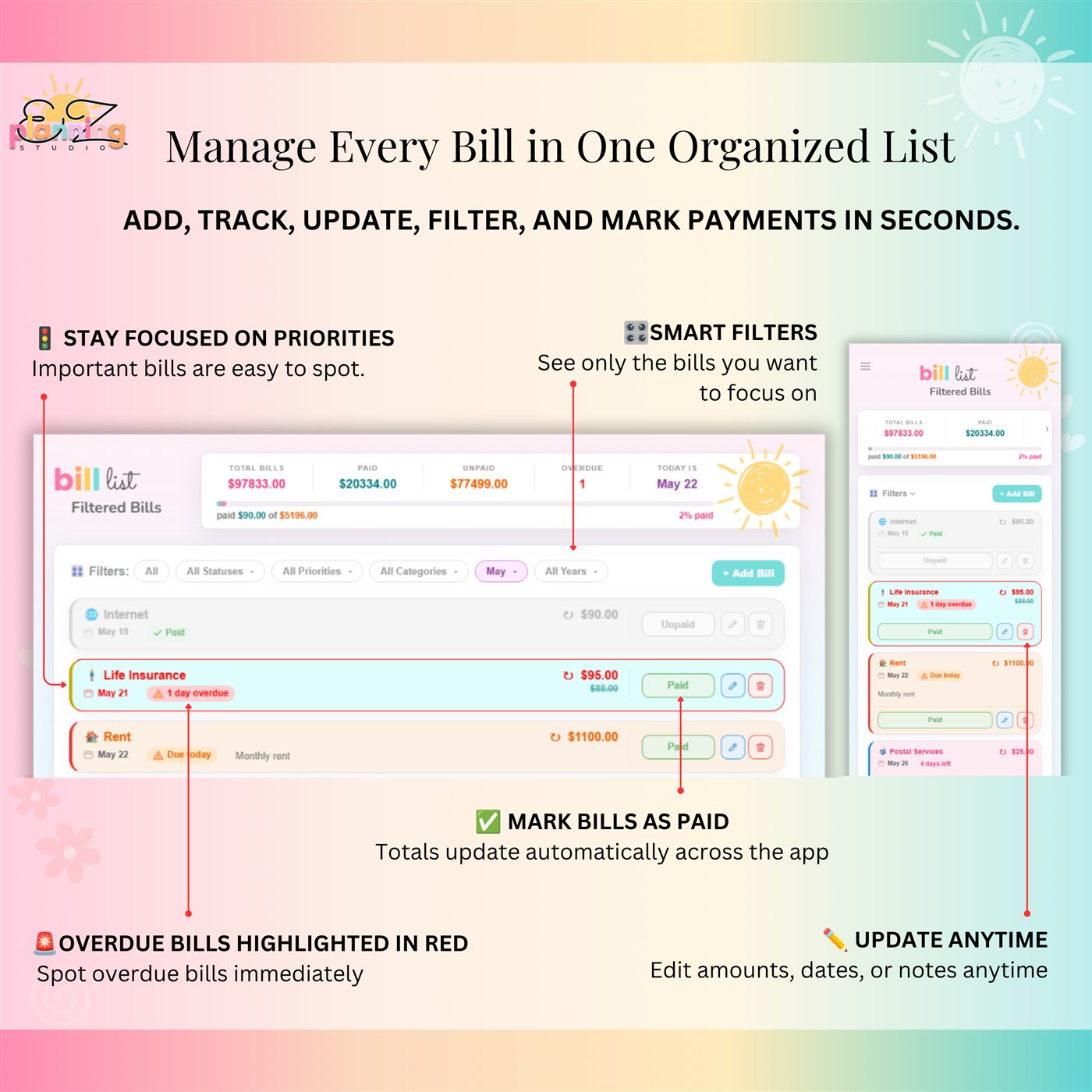
See every bill in one organized list, filter by what matters right now, and mark things paid without hunting around.
 Take a look at the list ↗
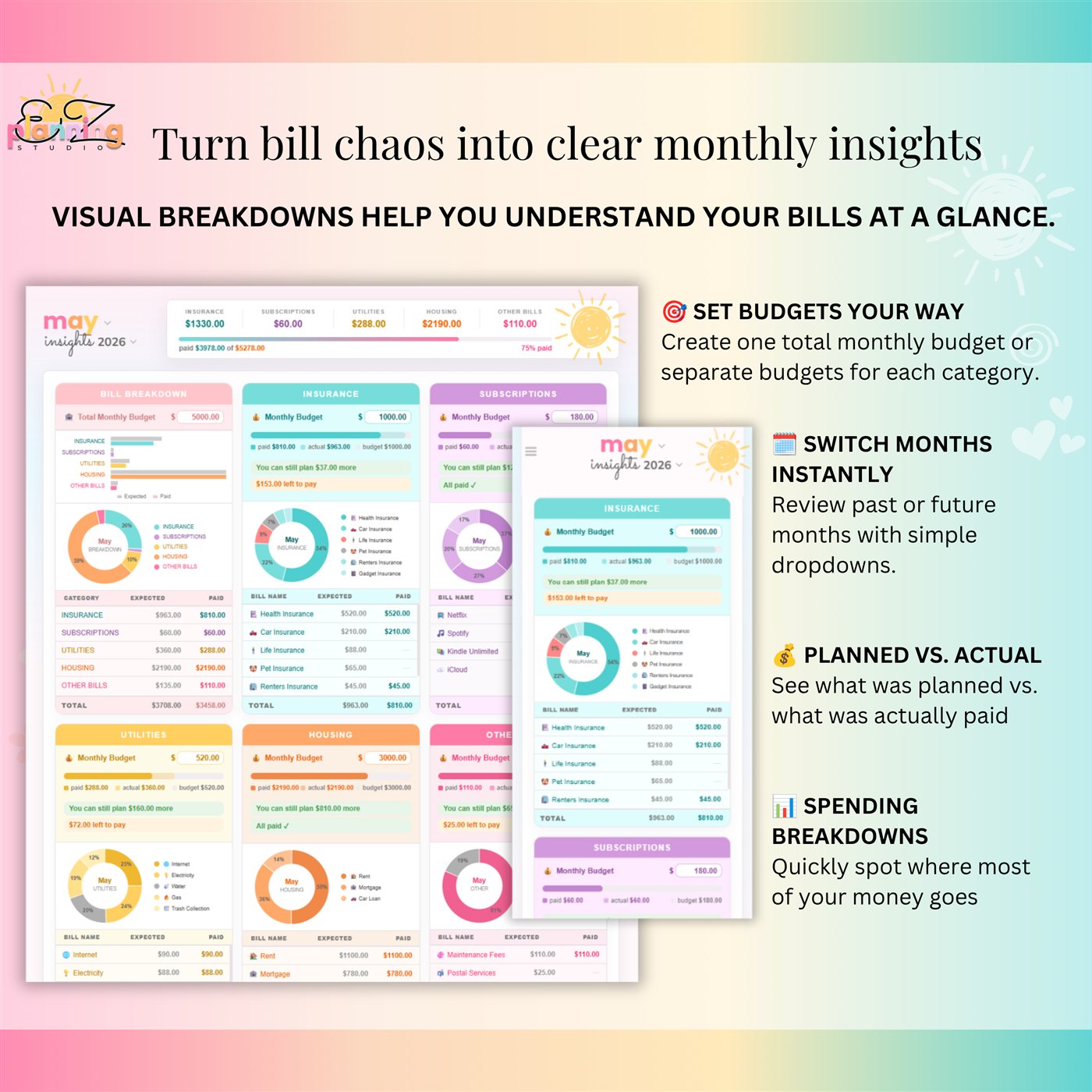
03 / MONTHLY INSIGHTS
See planned versus actual spending by category, so you always know exactly where your money went this month.
 See the insights ↗
A little test-drive, zero commitment
See how a real month of bills gets tracked, paid and organized. Explore the sample calendar and decide if this way of tracking bills works for you.
No purchase or sign-up required to try the demo.
Windows: Chrome or Edge. Android: Chrome. Mac, iPhone & iPad: Safari — tap "Add to Home Screen" for the best experience.
Check the bill calendar, mark a few as paid, and see the monthly insights update.
Get the full version with a one-time purchase.
A little something to get you started
Get a welcome discount for your first order, plus budgeting tips, new releases and subscriber-only offers by email.
Thanks! Check your email for your welcome discount code.
Something went wrong — please double-check your email and try again.
For new email subscribers. Discount applies to your first order.
Made for your everyday
A browser-based app for desktop, tablet and phone.
Choose light, dark or automatic themes.
Local-first storage on your device. Keep regular backups of your bill tracker.
A bill routine without another monthly bill.
Try it before you decide
Try Free Demo or Buy Now — up top, always one scroll away.
Good to know
Option A — download & use locally
Option B — install as an app
You're in!
Click below and it's already applied at checkout — no code to remember.
Go to CheckoutWe've also emailed you the code. Valid for direct purchase only, not on Etsy.
Subscribe & save
Enter your email and your discount code is ready right away.
Something went wrong — please double-check your email and try again.